Delete Your Account
Follow the steps below to permanently delete your BreezeBiz account and all associated data.
Before you proceed
Deleting your account is permanent and cannot be undone. All your data will be removed, including:
- • Invoices, proposals, and transactions
- • Clients and contact information
- • App settings and preferences
- • Cloud backups (if Pro subscriber)
- • Your account and login credentials
Step-by-Step Guide
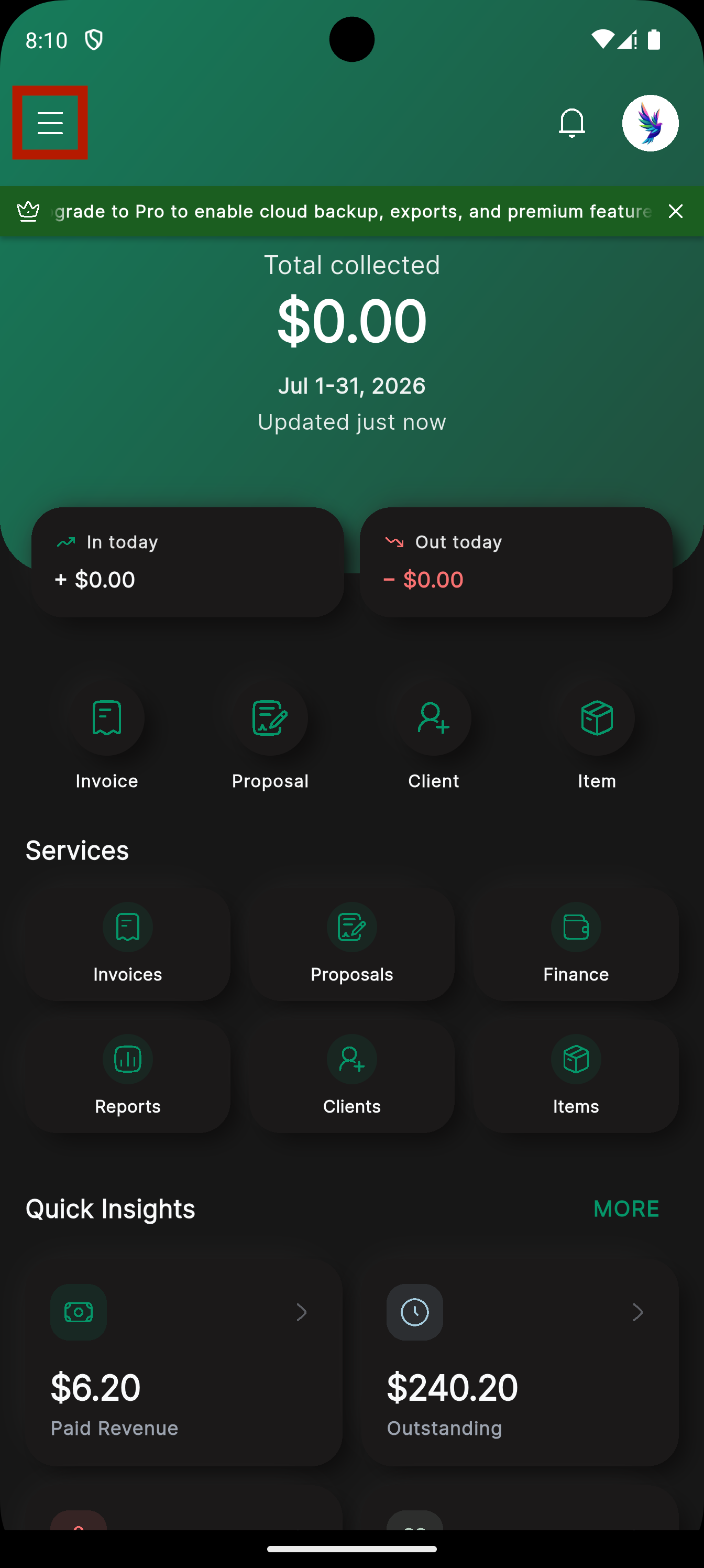
Open the Menu
Open the BreezeBiz app and tap the menu icon (three horizontal lines) in the top-left corner of the dashboard.
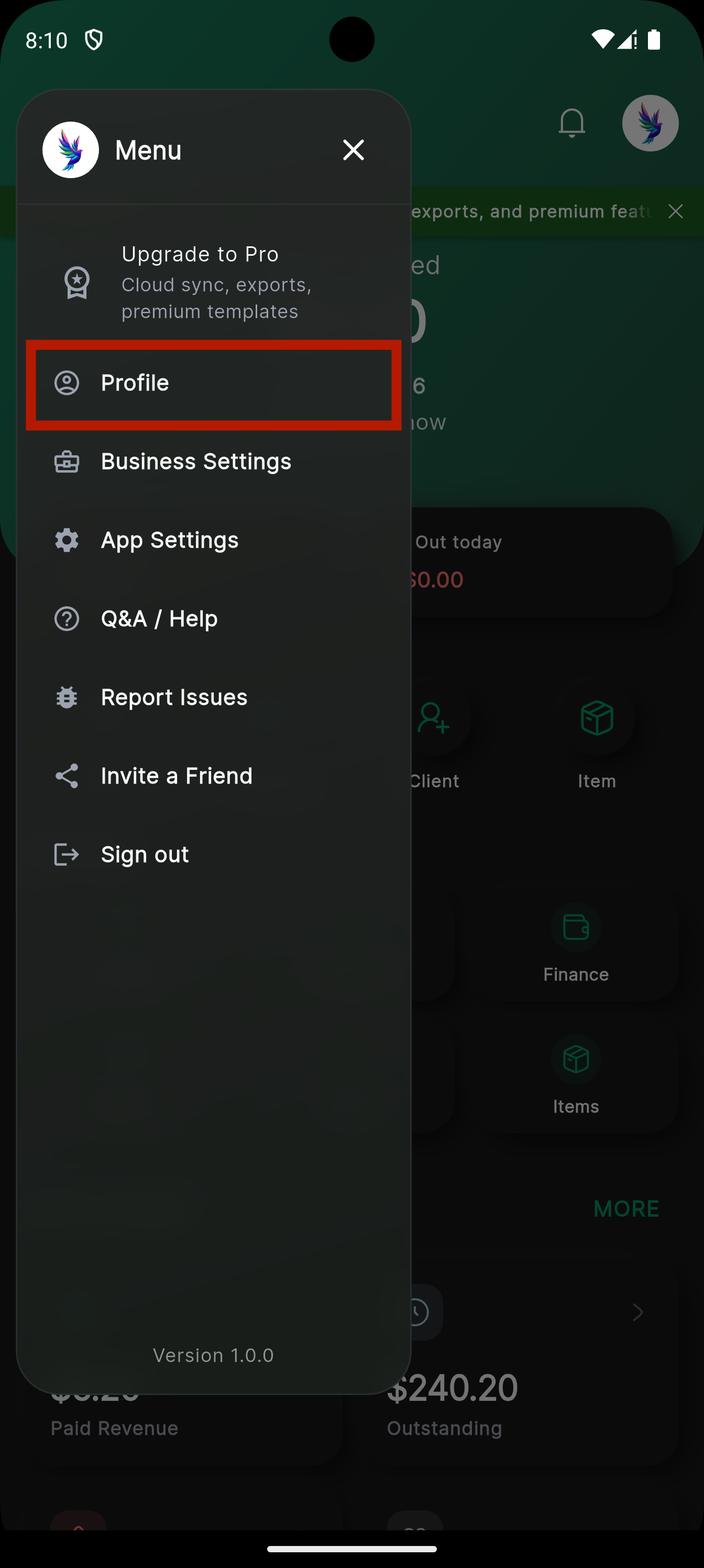
Go to Profile
In the side menu, tap on "Profile" to open your account settings.
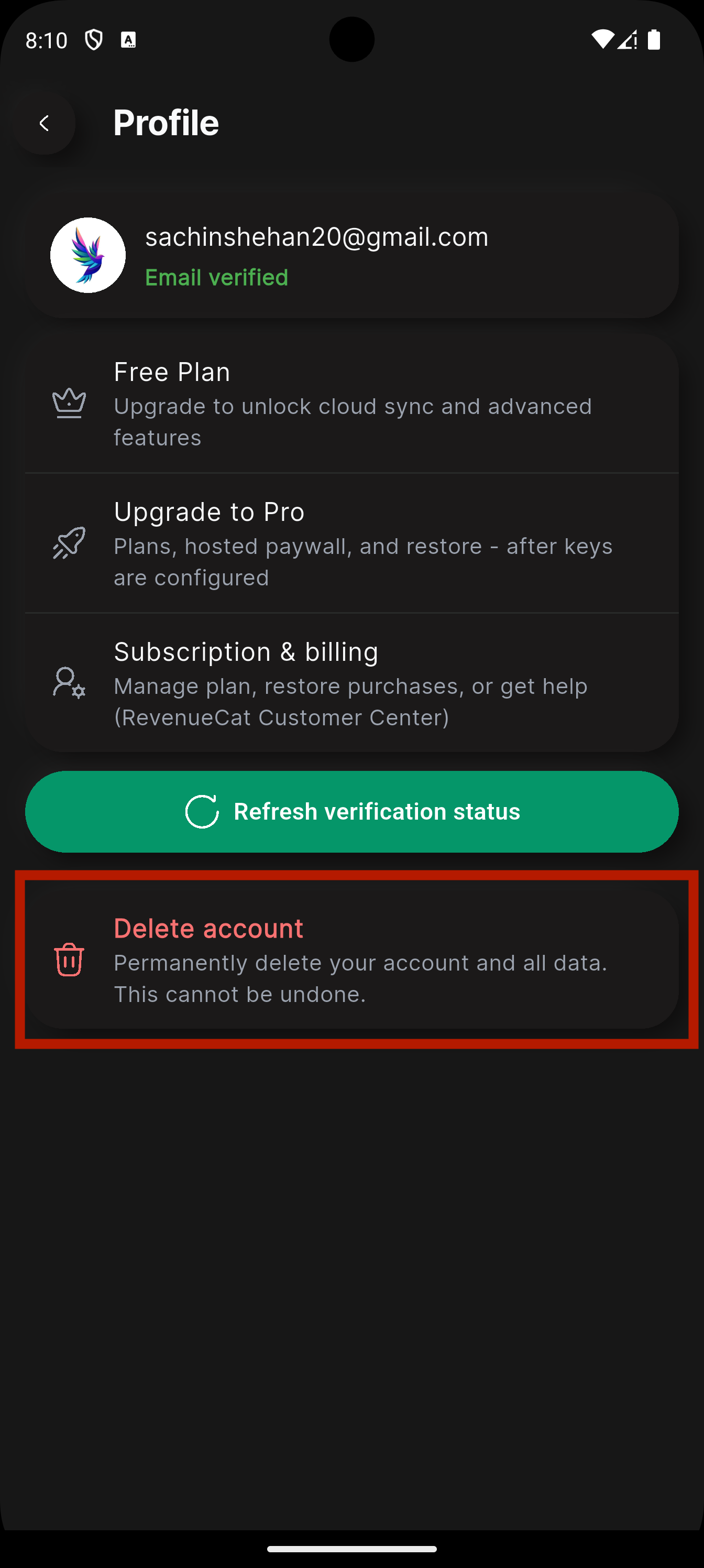
Tap "Delete Account"
Scroll to the bottom of the Profile page and tap the "Delete account" option. This is shown in red text with a trash icon.
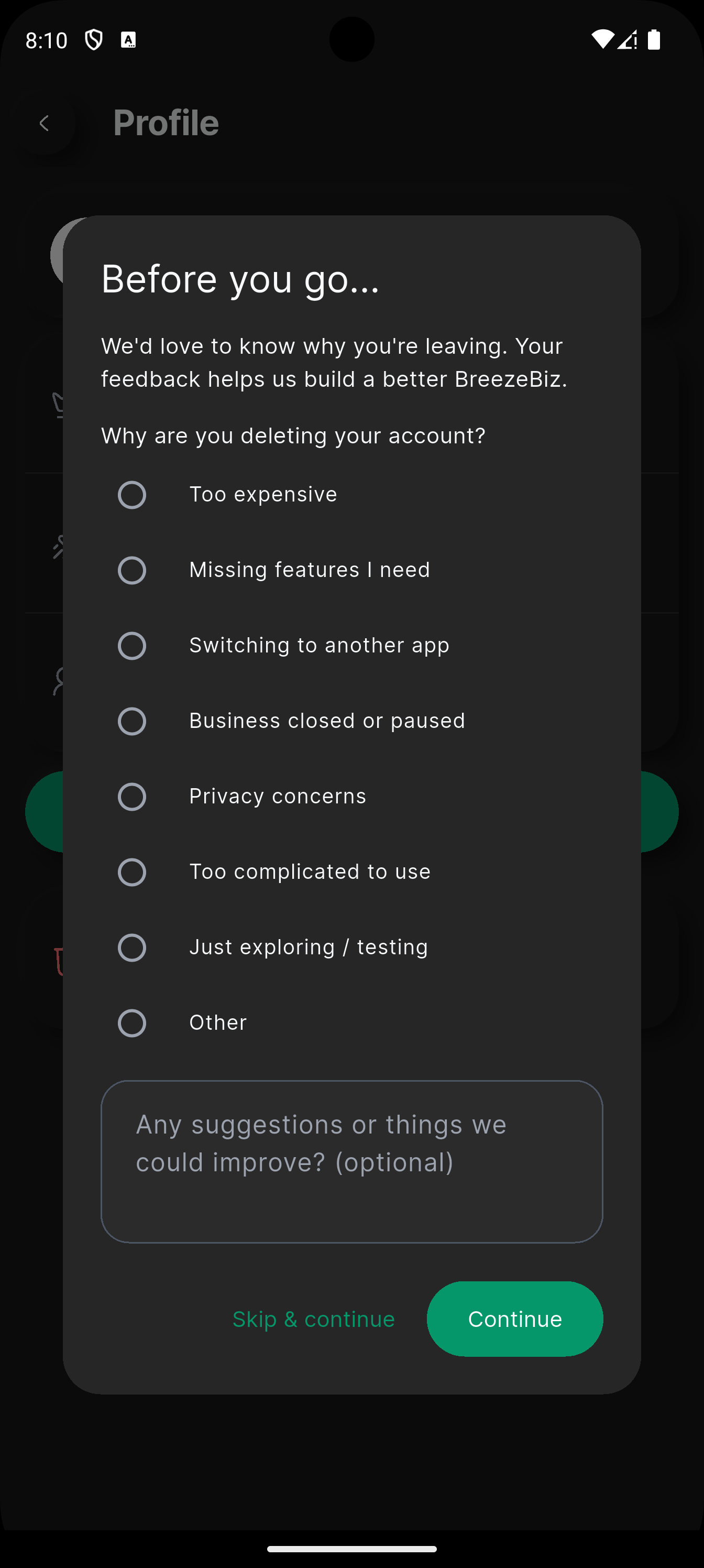
Provide Feedback (Optional)
A feedback dialog will appear asking why you're leaving. You can select a reason and add suggestions, or tap "Skip & continue" to proceed without providing feedback.
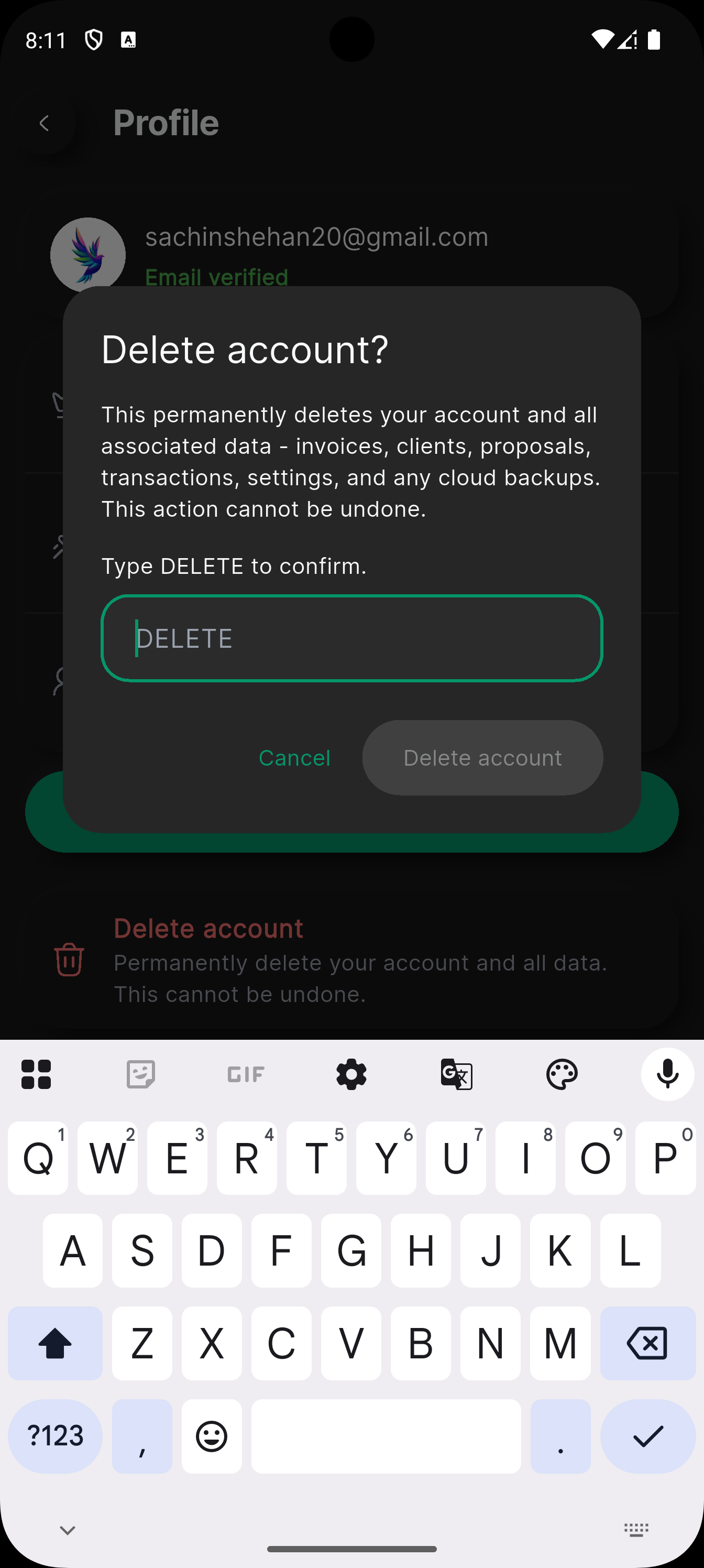
Type DELETE to Confirm
A confirmation dialog will appear. Type "DELETE" in the text field to confirm that you want to permanently delete your account and all associated data.
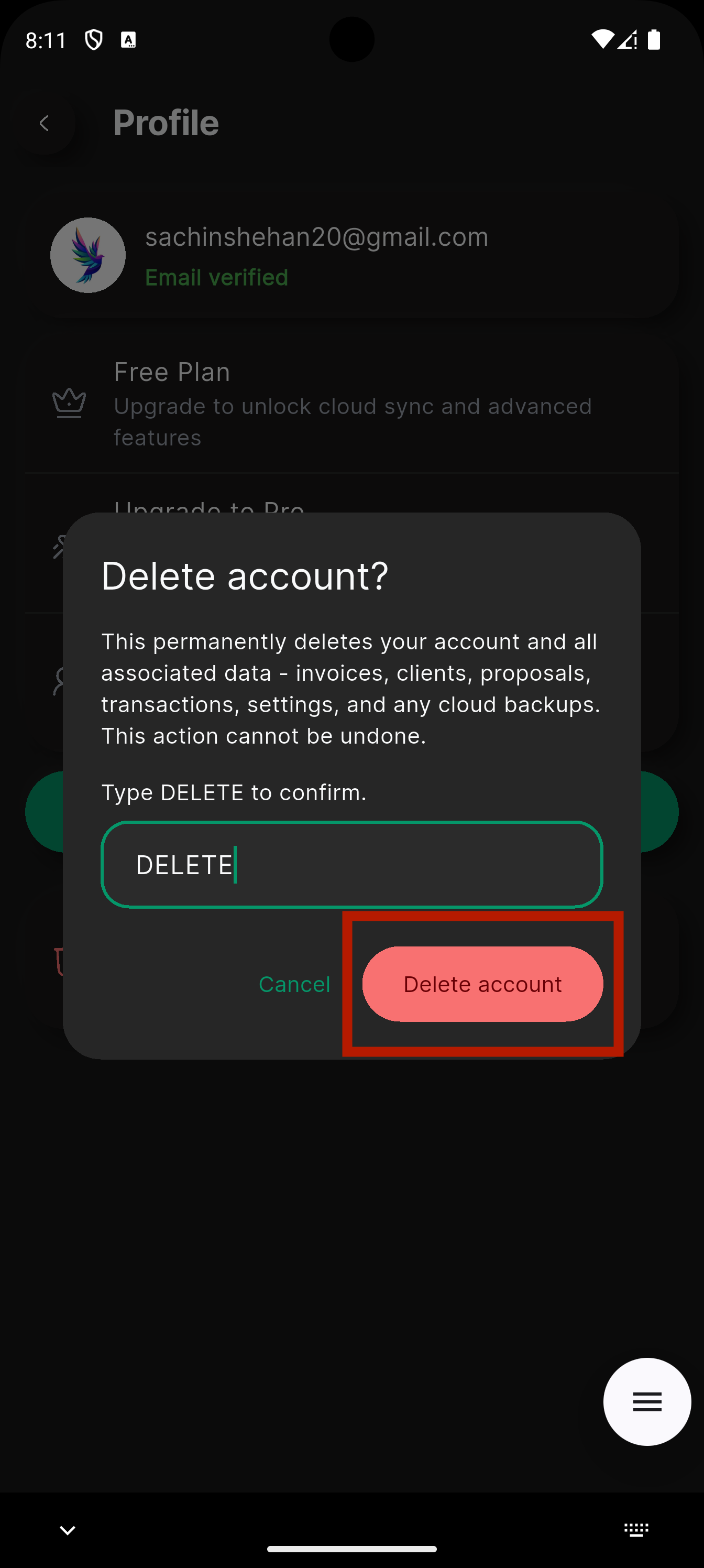
Tap "Delete Account"
After typing DELETE, tap the "Delete account" button to permanently delete your account. This action cannot be undone.
Need Help?
If you're having trouble deleting your account or would like us to delete it on your behalf, contact us at support@breezebiz.biz. We will process your request within 5 business days.